Quickstart
Minimal steady-state run
from lww_transport import LWWConfig, LWW1DSimulator

cfg = LWWConfig(nx=86, n=72, exchange=True, verbose=True)
sim = LWW1DSimulator(cfg)

steady = sim.solve_steady_state(bias=0.0, max_iterations=200)
print(steady.converged, steady.iterations)
print(steady.current[-1])

sim.save_state(steady.state, "lww_output")
Configuration summary
LWWConfig is organized into grouped sections while preserving flat keyword
arguments such as nx=... and exchange=...:
cfg = LWWConfig.standard_rtd().with_grid(86, 72).with_bias(0.08)
sim = LWW1DSimulator(cfg)
print(sim.config_summary({"mode": "steady"}))
CLI simulations print the same summary and write config_summary.txt to the
output directory. Direct transient runs also save the summary when
output_dir is supplied.
Plot device geometry
The geometry helper draws the double-barrier RTD potential profile from the
active LWWConfig:
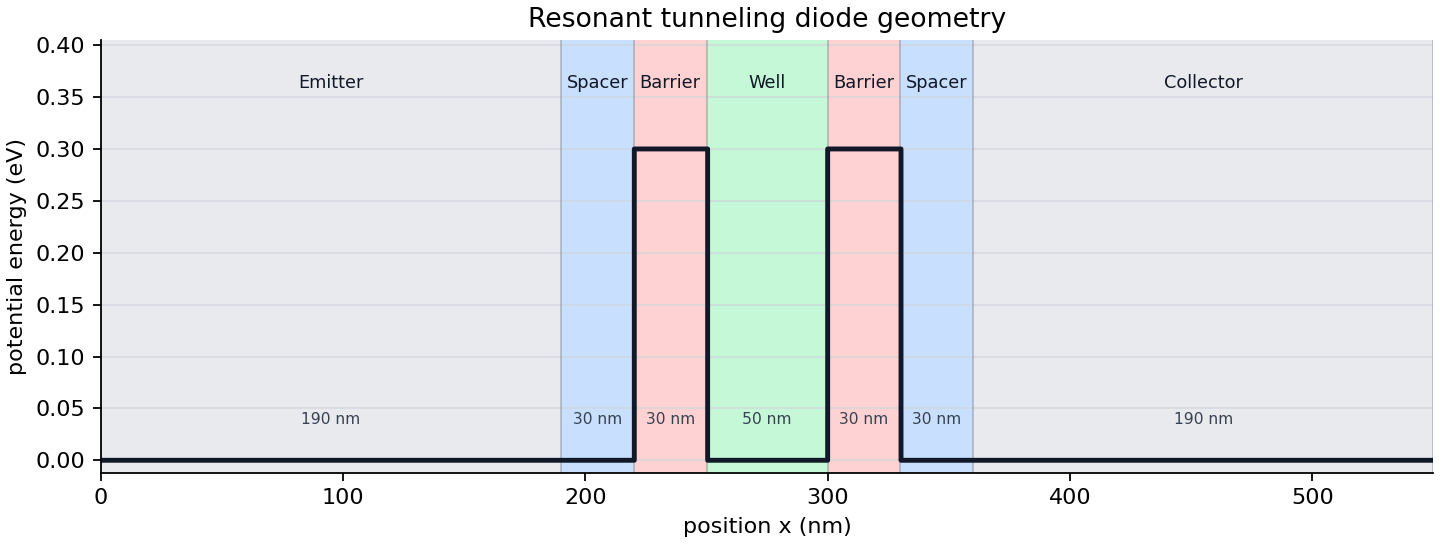
from lww_transport import LWWConfig, save_rtd_geometry_image

cfg = LWWConfig.standard_rtd()
save_rtd_geometry_image(cfg, "rtd_geometry.png")
The command line interface provides the same output:
lww-transport geometry --output output --nx 86 --n 72
Wigner phase-space image
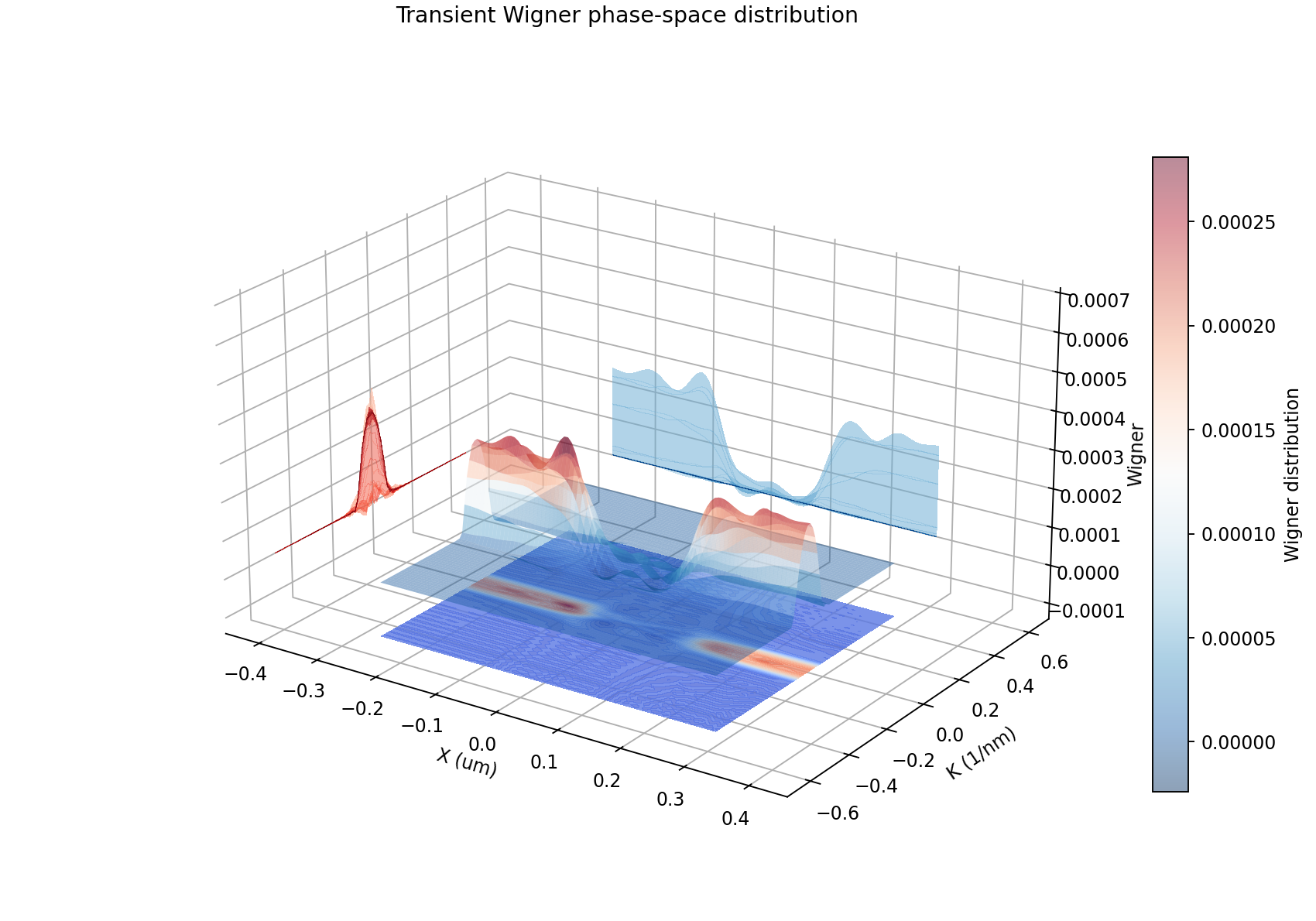
The visualization module can draw a 3D Wigner phase-space surface with a
contour projection and save the image directly. The example image below was
generated from output_time_dependent/lww_pywigner.csv from a
transient run:
from lww_transport import (
    LWWConfig,
    LWW1DSimulator,
    save_wigner_phase_space_image,
)

cfg = LWWConfig(nx=86, n=72, exchange=True)
sim = LWW1DSimulator(cfg)
state = sim.initial_zero_bias_state()

save_wigner_phase_space_image(
    state.f,
    "wigner_phase_space.png",
    cfg=cfg,
    title="Zero-bias Wigner phase space",
    style="floating",
    surface_alpha=0.45,
    colorbar_label="Wigner distribution",
)
Saved state CSV files can be plotted without loading the simulator state manually:
save_wigner_phase_space_image(
    "lww_output/lww_pywigner.csv",
    "lww_output/wigner_phase_space.png",
    cfg=cfg,
)
Small-grid smoke run
The reference grid builds a large Wigner system. Smaller grids are appropriate for development checks:
cfg = LWWConfig(nx=10, n=8, exchange=False, verbose=True)
sim = LWW1DSimulator(cfg)

steady = sim.solve_steady_state(bias=0.0, max_iterations=20)
transient = sim.run_transient(
    steady.state,
    ivn=3,
    itn=30,
    dbias=0.008,
    sample_every=5,
    progress_every=5,
)

sim.save_transient(transient, "lww_output")
Profiling
Use the profiling helper to compare the C++, Numba, and Python assembly backends. All three paths use the same direct LAPACK banded solve; the backend choice controls matrix assembly and current/density reductions:
python scripts/profile_transient.py --nx 43 --n 36 --ivn 1 --itn 2 --backend cpp
python scripts/profile_transient.py --nx 43 --n 36 --ivn 1 --itn 2 --backend numba
python scripts/profile_transient.py --nx 43 --n 36 --ivn 1 --itn 2 --backend python
Legacy CSV output
save_state writes the following CSV files to the output directory:
lww_pypoten.csv— electrostatic potentialrvslww_pydensity.csv— carrier densitylww_pycurrent.csv— current density profileJ(x)lww_pywigner.csv— Wigner distributionf(flattened)lww_pywigner_ss.csv— steady-state reference Wignerfr(flattened)
save_transient writes transient current traces named
lww_tcurl_<bias>.csv, where <bias> is formatted to four decimal
places (e.g. lww_tcurl_0.0080.csv).
When run_transient receives an output_dir value, it writes those
lww_tcurl_<bias>.csv files incrementally every sample_every iterations.
It also refreshes the state CSV checkpoint files after each completed bias
point.